Logic Pro 12.2

Logic Pro 12.2 is here, and it brings a strong mix of new features, useful improvements, and many bug fixes that make the app feel smoother and more reliable. If you use Logic Pro for music production, mixing, or editing, this update is worth your attention. Apple has focused not only on adding new tools, but also on fixing real issues that users faced in daily work.
In this article, we will go through what’s new in Logic Pro 12.2, what has improved, and why this update matters for both beginners and experienced users.
Logic Pro Tech Specs
| Logic Pro | |
| 12.2 | |
| April 10, 2026 | |
| 6GB of available storage space for minimum installation or 72GB of storage space for full Sound Library installation | |
| Apple | |
| Requires macOS 14 or later |
Logic Pro 12.2 New Features and Enhancements
One of the biggest highlights in Logic Pro 12.2 is better support for older content and improved export options.
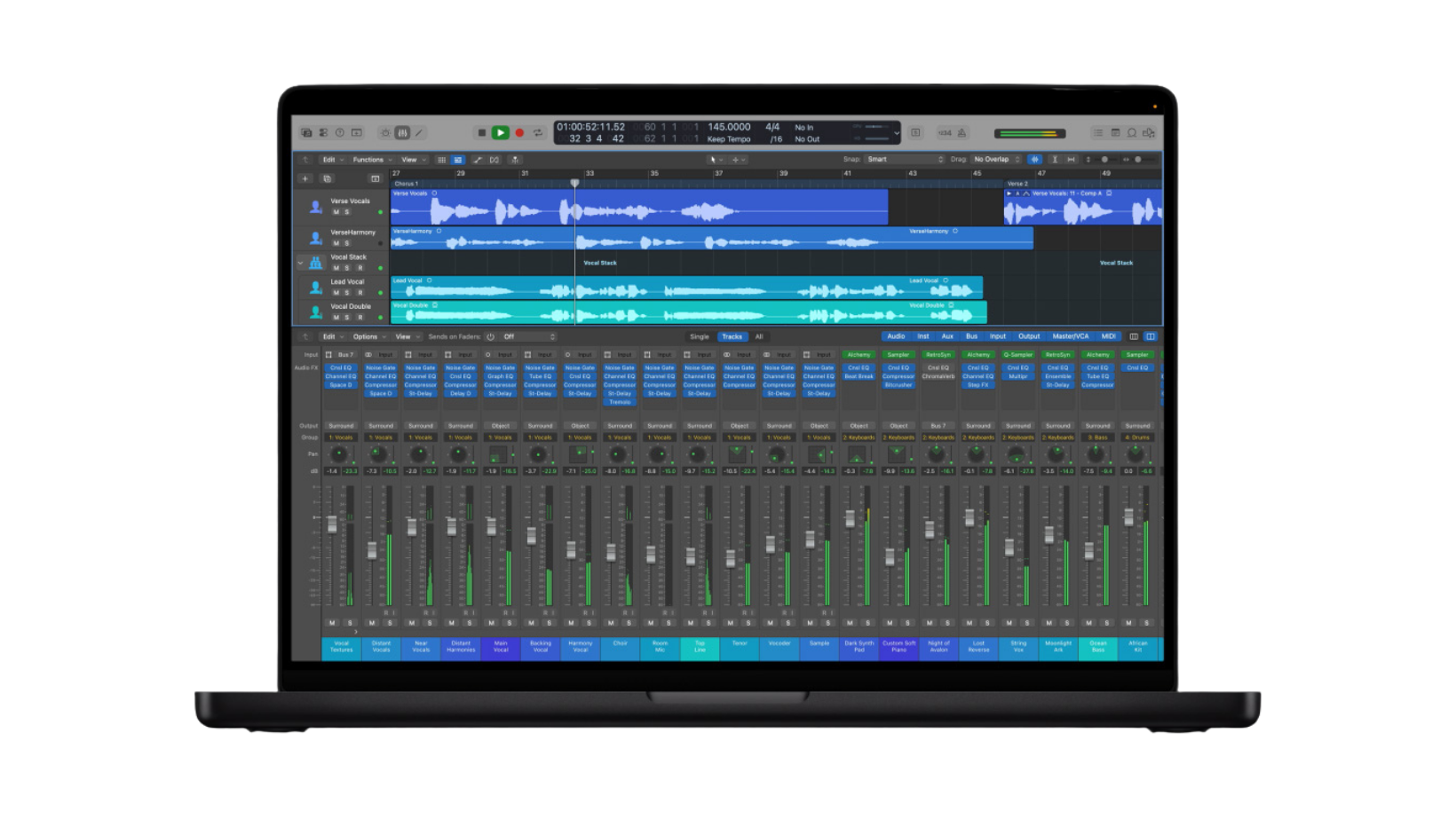
Apple has made it easier to reinstall legacy content that may have been missing in earlier Logic Pro 12 releases. This includes:
- Logic Pro Legacy Patches
- Legacy Instruments
- Legacy Loops sound packs
This is very helpful for users who opened older projects and noticed missing sounds. Now, you can quickly bring those sounds back and continue your work without issues.
Another important update is related to audio export. Logic Pro can now export Spatial Audio projects in more advanced formats. You can export as:
- Dolby Digital Plus with Dolby Atmos
- Dolby AC-4 files
This is great news for creators working on immersive audio projects, especially for film, streaming, and modern music platforms.
Stability and Reliability Improvements
A big part of this update focuses on fixing crashes and unexpected problems. Many small issues that could interrupt your workflow have now been solved.
For example:
- Fixes an issue where clicking on a Program slot in an External MIDI channel could cause Logic to quit
- Fixes crashes when zooming in on Intel or Rosetta systems
- Fixes crashes when Control-clicking regions in a take folder
- Fixes issues where Logic could crash when setting steps in Pattern Regions
These fixes may seem small, but they make a huge difference during long sessions. You can now work with more confidence, especially when handling complex projects.
There are also improvements to Autosave, which now correctly recalls plug-in changes made before your last manual save. This helps prevent losing important settings.
Another useful fix solves an issue where some audio regions could go missing when opening older projects. This ensures better project compatibility and peace of mind.
How to Download and Install Logic Pro 12.2
To get started, Purchase the full bundle for just $29.99, and download the files directly to your Mac. The installation process is easy—just follow the simple instructions provided. Once installed, you can immediately begin using Logic Pro 12.2 along with premium extras like Final Cut Pro, Motion, Compressor, MainStage, Top Courses, Tutorials and more Pro Tools, making it the perfect all-in-one solution for music producers and creative professionals.
Logic Pro 12.2 Better Performance and Workflow
Logic Pro 12.2 also improves how the app performs during everyday use.
- Export options in the Files menu now work properly the first time after launching Logic
- Fixes problems where Logic could hang when launching in Rosetta mode
These updates help reduce delays and make the software feel faster and more stable.
Chords and Chord Track Improvements
If you use the Chord Track feature, you will notice better accuracy and behavior.
- Running Analyze Chords a second time no longer adds extra unwanted chords
- Applying region chords to an empty region now shows the correct “No Chord” value
- Applying chords to multiple regions now works correctly for both regions
These changes make it easier to work with harmony and avoid confusion when arranging music.
Apple Loops and Library Fixes
Apple Loops are a key part of Logic Pro, and this update improves how they work.
- You can now drag and drop Apple Loops directly into the Loops Browser
- Fixes an issue where the Loops Browser appeared empty after importing several loops
This makes browsing and using loops more smooth and reliable.
Logic Pro 12.2 Plug-ins and Sound Fixes
Logic Pro 12.2 also improves plug-in behavior and sound quality.
- Notes created by the Ultrabeat sequencer now sound correct when Voice Mute is active
- Fixes an issue where Modulator MIDI plug-in could cause loud clicks when used with ES1
These fixes help avoid unwanted sounds and improve the overall listening experience.
Flex Pitch and Audio Editing
For users working with vocals and pitch editing, Flex Pitch gets useful improvements.
- You can now edit Flex Pitch notes in a Take folder right when opening it
- Flex marker changes in Takes now show correctly in the Audio Track Editor
This makes vocal editing faster and easier, especially in multi-take recordings.
Session Players and Drummer Updates
Session Players and Drummer tools also get improvements.
- Fixes an issue where the Sequenced Bass Session Player played notes in the wrong key
- The Session Player character picker now opens properly
- Crash Cymbal Stops now work correctly in multi-channel Drum Kit Designer setups
These changes help you create more natural and accurate drum and bass parts.
Logic Pro 12.2 Spatial Audio Enhancements
Spatial Audio continues to improve in Logic Pro 12.2.
- Binaural rendering settings for Apple headphones are now saved and recalled correctly when reopening a project
This ensures consistent playback for immersive audio projects.
Mastering Assistant Improvements
The Mastering Assistant tool also gets a small but important update.
- Transparent mode now works in projects set to a 192 kHz sample rate
This is helpful for high-quality mastering workflows.
Live Loops and Step Sequencer Fixes
Live Loops and Step Sequencer are popular features, and they now work more smoothly.
- Region names update correctly when selecting different takes in Live Loops cells
- Step Sequencer patterns with more than 16 steps now save properly
These fixes improve both creativity and reliability.
Takes, Comping, and MIDI Fixes
Working with multiple takes and MIDI is now more stable.
- Take folders no longer jump to the top when zooming vertically
- Fixes an issue where some MIDI notes would not sound due to certain MIDI CC messages
This makes editing and arranging much more predictable.
Editing Improvements
Editing tools have also been refined for better control.
- Fixes a problem where region edits could accidentally activate Clip Length settings
- Audio Track Editor now correctly shows the selected region
- Snap to Scale now works properly in MIDI editors
- Fixes issues when pasting MIDI events that could change region length
- Dragging notes in Piano Roll now works smoothly without disappearing from view
These changes make detailed editing easier and more accurate.
Logic Pro 12.2 Control Surfaces and MIDI Controllers
For users with external gear, Logic Pro 12.2 improves controller support.
- Control surfaces can now control Mixer channels not assigned to tracks
- Channel EQ opens correctly when using certain control surfaces like Presonus FaderPort
- Fixes issues where control faders could shift unexpectedly
- Improves support for Korg Keystage as a MIDI controller
This makes hardware integration more stable and useful.
General Improvements
There are also several small updates that improve the overall experience:
- Help menu links now open correctly
- You can now change the order of Global tracks
- Logic can now quit properly even when Sound Pack details are open
- Audio files copied in Finder now paste correctly into Tracks
- Fixes Track header size issues when using Revert to Defaults
- Secondary time ruler now displays correctly
- Sorting regions in the Project Audio window now works as expected
These small changes help make daily use smoother and more reliable.
Final Thoughts
Logic Pro 12.2 is not just a small update. It brings meaningful improvements that make the software more stable, easier to use, and more powerful.
The new features like better legacy content support and improved Spatial Audio export are useful additions. At the same time, the large number of bug fixes shows that Apple is listening to user feedback and focusing on real-world problems.